How to apply

How to apply, News

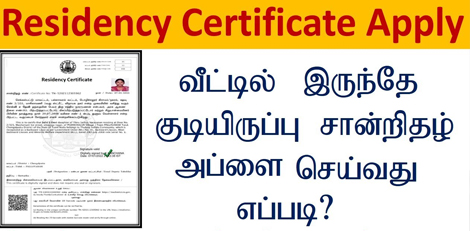
How to Apply for Residence Certificate Online Easily!!

Service Code: REV-116 | Department Charges: ₹0 | Service Charge: ₹60 Purpose:The Residence Certificate is an official document that certifies a person’s ordinary residence in Tamil Nadu. It is required for:– School/college admissions– Government job applications– Scholarship applications and education benefits– Proof of local residence for legal or official purposes– Accessing government schemes based on residence Required Documents:– Recent passport-size photo (Max 50 KB)– Current Address Proof (any one):– Passport / Driving Licence / PAN Card– Voter ID / NPR Document– Smart Card (Central/State Govt. issued)– Health Insurance Card with photo– Official Identity Card– Self-Declaration Form (download from portal) Special Requirements:– Applicant must have a valid Citizen Access Number (CAN)– Must provide address details for the past 1–5 years (most recent first)– Certificate validates ordinary residence in the specified area– All addresses must be verifiable with documents Application Process: 1. Get CAN (Citizen Access Number)– Visit: https://tnedistrict.tn.gov.in– Register using Aadhaar & OTP to get your permanent CAN 2. Apply for Residence Certificate– Log in with your CAN– Go to: Services – Revenue Department – REV-116 Residence Certificate 3. Fill Application Form– Personal details auto-filled from CAN– Enter address history (Revenue Village, Street, House No., Pincode, Dates)– System calculates total years of residence 4. Upload Documents– Attach Photo, Address Proof, Self-Declaration in correct size/format 5. Pay Online– Pay the service charge of ₹60 6. Download Acknowledgement– Save or print receipt for future tracking Alternative Method (CSC Centre – Recommended):– Visit nearest eSevai / CSC Centre– Operators assist with CAN registration, address entry, document scanning, and payment– Pay the same ₹60 service charge After Application:– Track status using Application Number under ‘Check Status’– Application verified by VAO/Revenue authorities– Download your digitally signed Residence Certificate after approval– Certificate contains QR code & digital signature for online verification Important Notes:– Enter address history in proper chronological order– Uploaded documents must be clear, current, and valid– Photo limit: 50 KB | Document limit: 200 KB– <sFormats accepted: PDF, JPEG, JPG– Applications can be saved as draft and completed later– Certificate is digitally signed and does not require a physical signature</s Apply Online: https://tnedistrict.tn.gov.inFor Assistance: Visit nearest eSevai / CSC Centre This guide is based on the Tamil Nadu e-District User Manual (REV-116). Government of Tamil Nadu, 2016.
How to apply, News

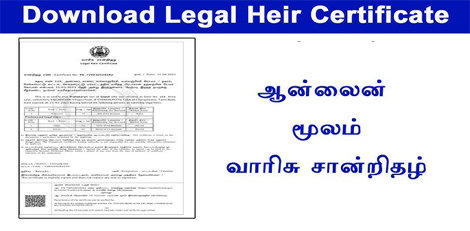
How to Apply for Legal Heir Certificate Online Easily!!

Service Code: REV-114 | Department Charges: ₹0 | Service Charge: ₹60 Purpose: The Legal Heir Certificate is an official document that establishes the relationship between the deceased and their legal heirs (spouse, children, parents, etc.). It is required for: – Claiming inheritance and transferring property, bank accounts, and assets – Settling insurance claims and pension benefits – Government service benefits transfer – Other legal and financial purposes after death Required Documents: – Death Certificate of the deceased– Address Proof of the deceased (last place of residence)– Self-Declaration of the spouse/applicant listing all legal heirs Relationship Verification Documents (as applicable):– Marriage Proof (Marriage Certificate, Passport, Voter ID, Aadhaar)– Children’s Proof (Birth Certificates or School Transfer Certificates)– ID Proofs of all heirs (Birth Certificate, Community Certificate, Aadhaar, Passport, TC, NPR, Employee Record) Special Circumstances:– If multiple marriages: Death Certificate of first spouse / divorce decree / second marriage proof– If parents are heirs: Parents’ Death Certificates or self-declaration– For adopted heirs: Legal adoption proof / Guardianship order Special Requirement:– Applicant must have a valid Citizen Access Number (CAN)– If no CAN, register first on the e-District portal using Aadhaar and OTP verification Application Process: 1. Get CAN– Visit: https://tnedistrict.tn.gov.in– Register using Aadhaar and obtain a permanent CAN 2. Apply for Certificate– Log in to e-District portal– Navigate: Services – Revenue Department – REV-114 Legal Heir Certificate 3. Fill Application Form– Enter Deceased Details (Name, Date/Place of Death, Death Certificate No., Parents’ details)– Enter Address of Deceased– Add Legal Heirs Details (Name, Age, Relationship, Marital/Living Status)– Enter Petitioner’s Relationship to the deceased 4. Upload Documents– Attach all required documents clearly in the correct format 5. Pay Online– Service Charge: ₹60 6. Download Acknowledgement– Save/print receipt for tracking Alternative Method (CSC Centre – Recommended):– Visit nearest eSevai/CSC Centre– Operators help with CAN registration, document scanning, payment, and submission– Pay the same � ₹60 service charge After Application:– Track Status: Check with application number on portal– Application verified by VAO / Revenue authorities– Once approved, download digitally signed certificate with QR code Important Notes:– Keep application number safe for tracking– Ensure all uploaded documents are clear and valid– Certificate can be verified online via QR code/unique number– Draft applications can be saved and continued later Apply Online: https://tnedistrict.tn.gov.inFor Assistance: Visit nearest eSevai/CSC Centre

How to apply, News

How to Apply for Inter Caste Marriage Certificate Online Easily!!

Service Code: REV-113 | Department Charges: ₹0 | Service Charge: ₹60 Purpose: This certificate is issued to couples who have entered into an inter-caste marriage, enabling them to avail government benefits and schemes meant for such marriages. Required Documents: – Combined Photo of Husband and Wife (Max 50 KB)– Permanent Community Certificate of the Groom– Permanent Community Certificate of the Bride– Marriage Registration Certificate– Self-Declaration Form (Download from portal)– Ration Card or Address Proof Special Requirement: – Both Applicants (Groom and Bride) must have individual CAN numbers Application Process: 1. Get Citizen Access Number (CAN) – Mandatory for Both– Visit: https://tnedistrict.tn.gov.in– Groom and Bride must register separately for free CAN– CAN serves as a permanent digital ID for all certificates 2. Apply for Certificate– Log in to the e-District portal– Navigate to: Services – Revenue Department– Select: REV-113 Inter Caste Marriage Certificate 3. Fill Application Form– Enter Groom’s CAN number and fetch details– Enter Bride’s CAN number and fetch details– Provide: Groom’s caste details (Community, Caste, Certificate issuing details)– Provide: Bride’s caste details (Community, Caste)– Enter: Marriage details (Date, Place etc.)– Enter: Current address details– Accept the self-declaration– Upload all required documents– Pay ₹60 service charge online Alternative Method – Recommended:Visit nearest eSevai / CSC Centre– Operators provide complete assistance for both applicants– Help with document scanning and upload– Same ₹60 service charge applies After Application:– Track Status: Use application number under `Check Status`– Application verified by relevant authorities– Download digitally signed certificate after approval– Certificate contains a QR code for online verification Important Notes:– Both husband and wife need separate CAN registration– Permanent Community Certificates for both partners are mandatory– Marriage Registration Certificate is essential– A combined photo of the couple is required– Keep the application number safe for tracking– Certificate can be verified online via QR code / unique number– Essential for availing government schemes for inter-caste marriages Apply Online: https://tnedistrict.tn.gov.inFor Assistatance: Visit nearest eSevai / CSC Centre

How to apply, News

How to Apply Certificate for Loss of Educational Records due to Disasters Online Easily!!

Service Code: REV-111 | Department Charges: ₹0 | Service Charge: ₹60 Purpose: This certificate is issued to citizens who have lost their educational records due to natural disasters or other calamities, enabling them to obtain duplicate documents from educational institutions. Required Documents: Recent passport size photograph (Max 50 KB) Residence Proof (Aadhaar / Ration Card / Utility Bill etc.) Self-Declaration Form (Download from portal) Damage Certificate Xerox Copy (Proof of disaster/calamity) Other supporting documents Application Process: 1. Get Citizen Access Number (CAN) – Mandatory First Step Visit: https://tnedistrict.tn.gov.in Register for free CAN using Aadhaar and basic details CAN serves as your permanent digital ID for all certificates 2. Apply for Certificate Log in to the e-District portal with your CAN Navigate to: Services → Revenue Department Select: REV-111 Certificate for Loss of Educational Records due to Disasters 3. Fill Application Form Personal details auto-filled from CAN Specify: Highest Educational Qualification Provide: Details of lost certificates (Certificate Name, Standard/Degree, Certificate No., Year of Issuance, Issuing Authority, Institution Name) Specify: Year of damage and Nature of damage (e.g., Flooding, Fire etc.) Accept the self-declaration Upload all required documents Pay ₹60 service charge online Alternative Method – Recommended: Visit nearest eSevai / CSC Centre Operators provide complete assistance Help with document scanning and upload Same ₹60 service charge applies After Application: Track Status: Use application number under `Check Status` Application verified by relevant authorities Download digitally signed certificate after approval Certificate contains a QR code for online verification Important Notes: Essential for obtaining duplicate educational certificates Keep details of original certificates ready (Certificate numbers, issuing authorities) Damage certificate / proof of disaster is mandatory Self-declaration form must be downloaded from the portal Keep application number safe for tracking Certificate can be verified online via QR code / unique number Apply Online: https://tnedistrict.tn.gov.in For Assistance: Visit nearest eSevai / CSC Centre

How to apply, News

How to Apply for Unemployment Certificate in Tamil Nadu Easily!!

Service Code: REV-108 | Department Charges: ₹0 | Service Charge: ₹60 Purpose: This certificate is issued for unemployed youth to avail scholarships from the Employment and Training Department and for compassionate ground appointments. Required Documents: – Recent passport size photograph (Max 50 KB)– Any Address Proof (Aadhaar/Ration Card/Utility Bill etc.)– Educational Qualification Proof– Transfer Certificate (TC)– Family Income Certificate– Self-Declaration Form (Download from portal)– Employment Card (If applicable)– Other supporting documents Application Process: 1. Get Citizen Access Number (CAN) – Mandatory First Step– Visit: https://tnedistrict.tn.gov.in– Register for free CAN using Aadhaar and basic details– CAN serves as your permanent digital ID for all certificates 2. Apply for Certificate– Log in to e-District portal with your CAN– Navigate to: Services – Revenue Department– Select: REV-108 Unemployment Certificate 3. Fill Application Form– Personal and address details auto-filled from CAN– Provide: Educational details (qualifications)– Specify: Unemployment period (From/To dates)– Upload all required documents– Pay ₹60 service charge online Alternative Method – Recommended: Visit nearest eSevai / CSC Centre – Operators provide complete assistance – Help with document scanning and upload – Same ₹60 service charge applies After Application: – Track Status: Use application number under `Check Status` – Application verified by VAO (Village Administrative Officer) – Download digitally signed certificate after approval – Certificate contains a QR code for online verification Important Notes: – Essential for scholarship applications and compassionate appointments – Keep all educational documents ready (Marksheets, Transfer Certificate) – Family Income Certificate is mandatory – Keep application number safe for tracking – Certificate can be verified online via QR code/unique number Apply Online: https://tnedistrict.tn.gov.inFor Assistance: Visit nearest eSevai / CSC Centre

How to apply, News

How to Apply for Family Migration Certificate Easily!!

Service Code: REV-107 | Department Charges: ₹0 | Service Charge: ₹50 Purpose: This certificate is for citizens migrating from one place to another, primarily used for transferring employment registration between districts. Required Documents: – Recent passport size photograph (Max 50 KB)– Any Address Proof (Aadhaar/Ration Card/Utility Bill etc.)– Self-Declaration Form (Download from portal)– Marriage Invitation or Marriage Certificate (If applicable)– Previous Residence Address Proof Document– Other supporting documents (if any) Application Process: 1. Get Citizen Access Number (CAN) – Mandatory First Step– Visit: https://tnedistrict.tn.gov.in– Register for free CAN using Aadhaar and basic details– CAN serves as your permanent digital ID for all certificates 2. Apply for Certificate – Log in to e-District portal with your CAN– Navigate to: Services – Revenue Department– Select: REV-107 Family Migration Certificate 3. Fill Application Form – Must specify: Nature of Migration (Single/Family)– Personal details auto-filled from CAN– Provide: NPR Family No / Aadhaar No– Provide: Number of years at current address– Provide: Previous address details– Add: Family members` details (Name, Age, Relation, Dependency)– Provide: Reason for migration (e.g., “Job transfer”)– Provide: Smart Card No./Ration Card No.– Upload all required documents– Pay ₹50 service charge online Alternative Method – Recommended: Visit nearest eSevai / CSC Centre– Operators provide complete assistance– Help with document scanning and upload– Same ₹50 service charge applies After Application: – Track Status: Use application number under `Check Status`– Application verified by VAO (Village Administrative Officer)– Download digitally signed certificate after approval– Certificate contains a QR code for online verification Important Notes: – Ensure all address proofs are current and valid– Keep application number safe for tracking– Certificate can be verified online via QR code/unique number– Required for employment registration transfer between districts

How to apply, News

How to Apply for Agricultural Income Certificate Easily!!

Service Code: REV-106 | Department Charges: ₹0 | Service Charge: ₹60 Eligibility This certificate is for farmers to verify income from agricultural activities for availing subsidies and government schemes. Required Documents – Recent passport size photograph (Max 50 KB) – Ration Card or Address Proof (Aadhaar/Utility Bill etc.) – Chitta (Land Revenue Document) – Last One Year Adangal (Land Revenue Register extract) – Self-Declaration Form (Download from portal) – Other supporting documents (if any) Application Process 1. Get Citizen Access Number (CAN) – Mandatory First Step – Visit: https://tnedistrict.tn.gov.in – Register for free CAN using Aadhaar and basic details – CAN serves as your permanent digital ID for all certificates 2. Apply for Certificate – Log in to e-District portal with your CAN – Navigate to: Services → Revenue Department – Select: REV-106 Agricultural Income Certificate 3. Fill Application Form – Personal details auto-filled from CAN Must provide: – Annual Income Details: Crop type, land area (acres), income value – Family Member Details: Add all family members – Upload all required documents – Pay ₹60 service charge online Alternative Method – Recommended Visit nearest eSevai / CSC Centre – Operators provide complete assistance – Help with document scanning and upload – Same ₹60 service charge applies After Application – Track Status: Use application number under `Check Status` – Application verified by VAO (Village Administrative Officer) – Download digitally signed certificate after approval – Certificate contains a QR code for online verification – Validity: Typically one year from issue date Important Notes – Ensure Chitta and Adangal documents are current and valid – Keep application number safe for tracking – Certificate can be verified online via QR code/unique number Apply Online: https://tnedistrict.tn.gov.in For Assistance: Visit nearest eSevai / CSC Centre

How to apply, News

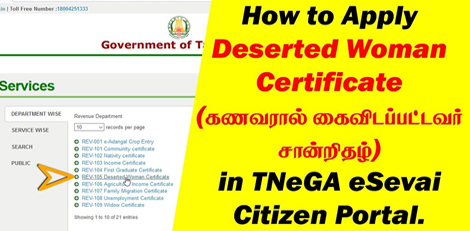
How to Apply for Deserted Woman Certificate Easily!!

The Tamil Nadu government offers a streamlined online process for women to obtain a Deserted Woman Certificate, crucial for accessing welfare schemes and legal support. Service Code: REV-105 | Department Charges: ₹0 | Service Charge: ₹60 Required Documents:1. Recent Passport Size Photograph (Scan, max. 50 KB size) 2. Address Proof (Aadhaar Card, Ration Card, Utility Bill, etc.) 3. Proof of Marriage (Marriage Certificate, Wedding Invitation, etc.) 4. Self-Declaration of Applicant (downloadable form available on the portal) 5. Proof of Desertion (FIR copy, affidavit, or other legal documents) Who Can Apply? Women who have been deserted by their husbands for more than 6 years and have not remarried. How to Apply: Option 1: Apply Online Yourself (Using e-District Portal) Step 1: Visit https://tnedistrict.tn.gov.in and register for a Citizen Access Number (CAN). Step 2: Log in with your CAN and go to Services → Revenue Department. Step 3: Select REV-105 Deserted Woman Certificate. Step 4: Enter marriage details (Husband`s Name, Marriage Date, Separation Duration). Step 5: Upload all required documents and pay ₹60 online. Step 6: Note the Application Number for tracking. Option 2: Visit the Nearest eSevai / CSC CentreThis is the recommended method if you need assistance. The trained operator will help scan and upload your documents and submit the application on your behalf for ₹60. After Applying: – Track Status: Use your Application Number on the e-District portal under `Check Status`. – Download Certificate: Once approved, the digitally signed certificate with a QR code can be downloaded directly from the portal. Apply Online: https://tnedistrict.tn.gov.inFor Assistance, visit your nearest eSevai / CSC Centre.

How to apply, News

Rural Development Dept in TN – Multiple Jobs available- How to apply details!!

To fill up several posts in the Rural Development and Panchayat Raj department through direct appointment, the Rural Development Dept has now issued a notification. Job and vacancy details: Job – Gravity driver post Number of vacancies – 70 Salary – Rs 19700 to Rs 71900 per month Qualification- Must have passed 8th standard with valid driver`s license and have atleast 5 years of work experience. Age limit- The candidate must be between 18 to 32 years as on 1st July 2025. Candidates in PC, MBC categories must be within 34 years and SC/ST candidates must be within 42 years of age. Job – Registry clerk post Number of vacancies – 30 Salary – Rs 15900 to Rs 58500 per month Qualification – Must have passed 10th class Age limit- Must be between 18 to 32 years as on 1st July 2025. It must be noted that PC, MBC candidates must be within 34 years of age and SC/ST candidates must be within 37 years of age. Job – Office assistant post Number of vacancies – 51 Salary – Rs 15700 to Rs 58100 per month Qualification – Must have passed 8th class and must know how to ride a bicycle. Age limit- The candidate must be between 18 years to 32 years of age on 1st July 2025. Candidates belonging to PC and MBC categories must be within 34 years of age and those in SC/ST must be within 37 years of age. Job – Night watchman Number of vacancies – 83 Salary – Rs 15700 to Rs 58100 per month Qualification – Must able to read and write in Tamil language Age limit – The candidate must be between 18 and 32 as on 1st July 2025. For candidates belonging to PC, MBC categories their age must be within 34 years and those belonging to SC/ST must be within 37 years of age. Application fee details: It is worthy to note that general, PC and MBC candidates must pay Rs 100 as application fees and those from SC/ST categories must pay Rs 50. How to apply and last date etc: The candidates can apply to these posts online through https://www.tnrd.tn.gov.in/ and the last date would be 30th of September 2025.

How to apply, News

Apply for First Graduate Certificate Easily!!

The Tamil Nadu government allows citizens to apply for a First Graduate Certificate through eSevai Centres. Service Code: REV-104  |  Department Charges: 0  |  Service Charge: ₹60 Required Documents: 1. Passport size photograph 2. Aadhaar Card 3. Smart Ration Card 4. 10th and 12th Marksheet 5. School Transfer Certificate 6. Transfer Certificate of siblings (if any studied) Apply Online: https://www.tnesevai.tn.gov.in Or visit the nearest eSevai Centre.

Scroll to Top