How to Apply for Differently Abled Pension Scheme Online Easily!!
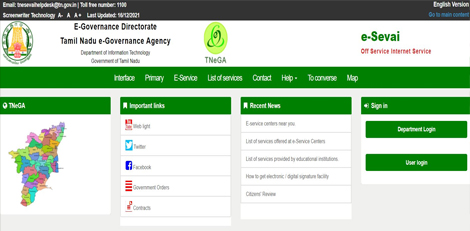
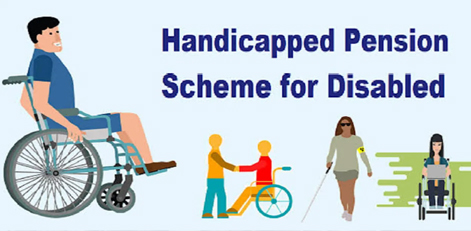
Service Code: REV-206 | Department: Revenue Department | Service Charge: ₹10 Purpose:The Differently Abled Pension Scheme (DAPS) provides financial assistance to persons with disabilities who are without adequate means of subsistence. It is designed for:– Persons with disabilities meeting specified criteria– Individuals with certified disability percentage– Applicants without adequate means of livelihood– Persons holding valid disability certification Required Documents:Mandatory:– Applicant Photo (recent passport-sized)– Aadhaar Card– Aadhaar Consent Form (downloadable from portal)– Smart Card / Ration Card / Any Address Proof– National Disability ID Card– Self-Declaration of Applicant (downloadable from portal)– Bank Passbook– Any Identity Proof (Voter ID, Passport, PAN, Driving License) – Optional Special Requirements:– Applicant must have a valid Citizen Access Number (CAN)– Disability Certification: Must have National Disability ID Card– Disability Percentage: Must meet specified disability percentage criteria– Income Verification: Provide accurate annual income details– Bank Account: Required for direct benefit transfer– Aadhaar Mandatory: Both number and consent form compulsory– Disability Type: Specific type of disability must be declared Step-by-Step Application Process: 1. Visit the Portal: Login to e-Sevai Tamil Nadu https://tnedistrict.tn.gov.in portal as Operator2. Navigate to Service: Services – Revenue Department – REV-206 Differently Abled Pension Scheme3. CAN Verification:– If applicant has CAN: Search by CAN number/name and proceed– If not: Click “Register CAN”, complete OTP verification, obtain CAN number4. Complete Application Form:– Section 1: Applicant Details (auto-filled)– Section 2: Current Address (auto-filled)– Section 3: Permanent Address (auto-filled)– Section 4: Contact Details (auto-filled)– Section 5: Bank/Postal Details – account information for disbursement– Section 6: Disability Details – type of disability, disability percentage, ID card number, income details5. Upload Documents: Attach all required files in accepted format and size6. Payment: Click Make Payment – confirm payment of ₹107. Acknowledgement: Download and print receipt for tracking Alternative CSC Centre Method:Applicants may also apply through any Common Service Centre (CSC) where trained operators assist with:– CAN registration– Form filling and document collection– Document scanning and upload– Payment processing– Application submissioion and tracking– Eligibility and documentation guidance After Submission:– Track Status: Use Application Number via portal– Saved Applications: Drafts appear in “Saved Application” section– Verification: VAO/Revenue authorities validate eligibility– Approval: Download digitally signed pension approval certificate once approved– Certificate Details: Includes pension approval, beneficiary info, and payment details– Delivery: CSC operator prints and hands over certificate to applicant Important Notes:– Eligibility: Requires certified disability with valid ID card– Disability ID: National Disability ID Card is mandatory– Disability Percentage: Must meet specified minimum disability percentage– Income Declaration: Provide accurate annual income details from all sources– Aadhaar Requirement: Aadhaar number and consent form are mandatory– Bank Account: Essential for pension disbursement– Document Accuracy: Ensure all uploaded documents are valid and clear– File Size Limits: Photos ≤ 50 KB, documents ≤ 200 KB– Supported Formats: PDF, JPEG, JPG, PNG– Digital Signature: Certificate is digitally signed – no physical signature required– Disability Types: Various disability types accepted as per government norms– ID Card Format: Disability ID must follow specified format (TN1234567890123456 or TNCHNMR12345) Apply Online: [https://tnedistrict.tn.gov.inAssistance: Visit your nearest e-Sevai / CSC Centre This guide is based on the Tamil Nadu e-District User Manual (REV-206). Government of Tamil Nadu, 2019.