How to apply

How to apply, News

TANGEDCO Electricity Bill Payment – Tamil Nadu e-Sevai Service (TEB-601)

  Service Code, Department Charges, and Service Charge – Service Code: TEB-601 – Department: Tamil Nadu Generation and Distribution Corporation (TANGEDCO) – Service Charge: Based on bill amount as below: Electricity Bill Amount (₹) Service Charge (₹) Up to ₹1,000 ₹15.00 ₹1,001 – ₹3,000 ₹25.00 ₹3,001 – ₹5,000 ₹40.00 ₹5,001 – ₹10,000 ₹50.00 ₹10,001 and above ₹60.00 Purpose of the Service This service allows TANGEDCO consumers to pay electricity bills easily through the Tamil Nadu e-Sevai Portal or Common Service Centres (CSCs). It provides secure and instant online payment with a downloadable receipt for record keeping. Required Details – Consumer Service Number – Registered Mobile Number – Valid Payment Method (Debit/Credit Card, Net Banking, or UPI) Step-by-Step Process 1. Login to the TNeGA e-Sevai Portal https://www.tnesevai.tn.gov.in or visit a nearby CSC Centre 2. Select Service: Choose TANGEDCO Services – TEB-601 Electricity Bill Payment 3. Enter Consumer Number and verify bill amount and details displayed 4. Confirm Payment: Select payment mode and make the payment securely 5. Download Acknowledgement: Save or print the payment receipt for reference Important Notes – Full bill payment only – partial payments are not allowed – Instant receipt available immediately after payment confirmation – Secure transaction: All payments processed through authorized payment gateways – CSC Assistance: Applicants can visit nearby CSCs for help with bill payment Disclaimer: The details mentioned in this document are intended for reference only and are based on publicly available data. Official information, rules, and procedures may be subject to changege. Applicants are advised to verify with TANGEDCO or the Tamil Nadu e-Sevai portal before proceeding.

How to apply, News

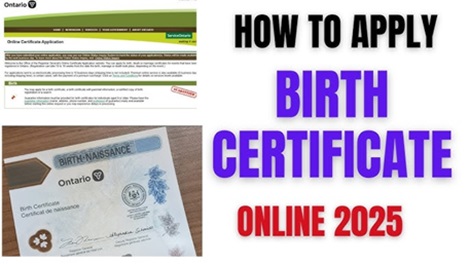
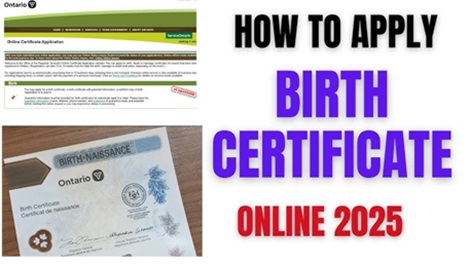
How to Print Birth Certificate Online Easily!!

Service Code: COC-101 | Department: Greater Chennai Corporation | Service Charge: ₹30 Purpose: The Printing of Birth Certificate service enables citizens to obtain official birth certificates through the e-District portal. It is designed for: – Parents or guardians needing official birth records – Legal representatives requiring birth documentation – Individuals needing certified birth certificates for various purposes – Citizens registered within Greater Chennai Corporation limits Required Information: Mandatory Search Criteria: – Gender of the child – Date of Birth of the child – Additional Search Options: Registration Number, Child Name, Father Name, or Mother Name Special Requirements: – No Citizen Access Number (CAN) required for this service – Registration Details: Must have existing birth registration in corporation records – Search Criteria: Gender and Date of Birth are mandatory for search – Payment: Required before certificate download – Digital Certificate: Instantly generated after payment Step-by-Step Application Process: 1. Visit the Portal: Login to e-Sevai Tamil Nadu https://tnedistrict.tn.gov.in portal as Operator 2. Navigate to Service: Services – Greater Chennai Corporation – COC-101 Printing of Birth Certificate 3. Search Records: – Select Gender (Mandatory) – Select Date of Birth (Mandatory) – Optional: Enter Registration Number, Child Name, Father Name, or Mother Name – Click Search 4. Select Record: Click option button next to desired birth record 5. Submit Application: Click Submit Application button 6. Get Certificate: Click Get Certificate after successful submission 7. Payment: Click Confirm Payment of ₹30 8. Download: Click Download Certificate to generate birth certificate Alternative CSC Centre Method: Applicants may also obtain certificates through any Common Service Centre (CSC) where trained operators assist with: – Record searching and verification – Application submission – Payment processing – Certificate printing and collection – Technical guidance and support After Submission: – Instant Processing: Certificate generation is immediate after payment – Digital Download: Certificate can be downloaded instantly – Print Option: Certificate can be printed directly from browser – Receipt: Payment receipt available for download – No Verification: No backend verification required for existing records Important Notes: – Search Requirements: Gender and Date of Birth are mandatory for record search – Record Availability: Service only for pre-registered birth records – Payment: ₹30 fee required before certificate download – Instant Service: No waiting period for certificate generation – Digital Format: Certificate generated in standard government format – Print Quality: Ensure printer settings for optimal certificate quality – Multiple Copies: Can generate multiple copies if needed – Validity: Certificate is officially valid for all purposes – Greater Chennai Corporation: Service limited to Chennai Corporation jurisdiction – No Documents Required: Only search criteria needed, no document upload – Browser Compatibility: Works best with Google Chrome browser Apply Online: https://tnedistrict.tn.gov.in Assistance: Visit your nearest e-Sevai / CSC Centre This guide is based on the Tamil Nadu e-District User Manual (COC-101). Government of Tamil Nadu, 2016.
How to apply, News

TANGEDCO Electricity Bill Payment – Tamil Nadu e-Sevai Service (TEB-601)

  Service Code, Department Charges, and Service Charge – Service Code: TEB-601 – Department: Tamil Nadu Generation and Distribution Corporation (TANGEDCO) – Service Charge: Based on bill amount as below: Electricity Bill Amount (₹) Service Charge (₹) Up to ₹1,000 ₹15.00 ₹1,001 – ₹3,000 ₹25.00 ₹3,001 – ₹5,000 ₹40.00 ₹5,001 – ₹10,000 ₹50.00 ₹10,001 and above ₹60.00 Purpose of the Service This service allows TANGEDCO consumers to pay electricity bills easily through the Tamil Nadu e-Sevai Portal or Common Service Centres (CSCs). It provides secure and instant online payment with a downloadable receipt for record keeping. Required Details – Consumer Service Number – Registered Mobile Number – Valid Payment Method (Debit/Credit Card, Net Banking, or UPI) Step-by-Step Process 1. Login to the TNeGA e-Sevai Portal https://www.tnesevai.tn.gov.in or visit a nearby CSC Centre 2. Select Service: Choose TANGEDCO Services – TEB-601 Electricity Bill Payment 3. Enter Consumer Number and verify bill amount and details displayed 4. Confirm Payment: Select payment mode and make the payment securely 5. Download Acknowledgement: Save or print the payment receipt for reference Important Notes – Full bill payment only – partial payments are not allowed – Instant receipt available immediately after payment confirmation – Secure transaction: All payments processed through authorized payment gateways – CSC Assistance: Applicants can visit nearby CSCs for help with bill payment Disclaimer: The details mentioned in this document are intended for reference only and are based on publicly available data. Official information, rules, and procedures may be subject to changege. Applicants are advised to verify with TANGEDCO or the Tamil Nadu e-Sevai portal before proceeding.

How to apply, News

How to Apply for Destitute Widow Certificate Online Easily!!

Service Code: REV-123 | Department: Revenue Department | Service Charge: ₹60 Purpose:The Destitute Widow Certificate provides official recognition and enables access to social welfare schemes for widows without adequate means of subsistence. It is designed for:– Widows whose total monthly income from all sources does not exceed ₹4,000– Applicants who are domicile of Tamil Nadu– Widows above 18 years of age– Women without adequate means of livelihood after husband`s death Required Documents:Mandatory:– Applicant Photo (recent passport-sized)– Smart Card / Ration Card– Death Certificate of Husband– Legal Heir Certificate– Aadhaar Card– Income Certificate– Self-Declaration of Applicant (downloadable from portal)– Address Proof (Optional) Special Requirements:– Applicant must have a valid Citizen Access Number (CAN)– Income Limit: Total monthly income must not exceed ₹4,000– Domicile Status: Must be domicile of Tamil Nadu– Age Requirement: Must be above 18 years of age– Marital Status: Must be widow– Death Proof: Death certificate of husband is mandatory– Legal Heir Proof: Legal heir certificate required Step-by-Step Application Process: 1. Visit the Portal: Login to e-Sevai Tamil Nadu https://tnedistrict.tn.gov.in portal as Operator2. Navigate to Service: Services – Revenue Department – REV-123 Destitute Widow Certificate3. CAN Verification:– If applicant has CAN: Search by CAN number/name and proceed– If not: Click “Register CAN”, complete OTP verification, obtain CAN number4. Complete Application Form:– Section 1: Applicant Details (auto-filled) including education qualification– Section 2: Current Address (auto-filled)– Section 3: Permanent Address (auto-filled)– Section 4: Contact Details (auto-filled)– Section 5: Present Annual Income – sources and amounts– Section 6: Parent and Children Details – husband`s parents, applicant`s parents, children information– Section 7: Late Husband Details – name, occupation, date of death, death certificate number5. Upload Documents: Attach all required files in accepted format and size6. Payment: Click Make Payment – confirm payment of ₹607. Acknowledgement: Download and print receipt for tracking Alternative CSC Centre Method:Applicants may also apply through any Common Service Centre (CSC) where trained operators assist with:– CAN registration– Form filling and document collection– Document scanning and upload– Payment processing– Application submissioion and tracking– Eligibility and documentation guidance After Submission:– Track Status: Use Application Number via portal– Saved Applications: Drafts appear in “Saved Application” section– Verification: VAO/Revenue authorities validate eligibility– Approval: Download digitally signed certificate once approved– Certificate Details: Includes widow status, income details, family information– Delivery: CSC operator prints and hands over certificate to applicant Important Notes:– Income Limit: Maximum monthly income ₹4,000 including all sources– Domicile Requirement: Must be domicile of Tamil Nadu– Age Requirement: Must be above 18 years old– Death Certificate: Husband`s death certificate is mandatory– Legal Heir Certificate: Required to establish relationship– Income Declaration: Provide accurate income details from all sources– Family Details: Complete information about parents and children required– Document Accuracy: Ensure all uploaded documents are valid and clear– File Size Limits: Photos ≤ 50 KB, documents ≤ 200 KB– Supported Formats: PDF, JPEG, JPG, PNG, GIF– Digital Signature: Certificate is digitally signed – no physical signature required– Late Husband Details: Complete information about deceased husband required– Educational Qualification: Applicant`s education details must be provided Apply Online: https://tnedistrict.tn.gov.inAssistance: Visit your nearest e-Sevai / CSC Centre This guide is based on the Tamil Nadu e-District User Manual (REV-123). Government of Tamil Nadu, 2019.

How to apply, News

How to Apply for Differently Abled Pension Scheme Online Easily!!

Service Code: REV-206 | Department: Revenue Department | Service Charge: ₹10 Purpose:The Differently Abled Pension Scheme (DAPS) provides financial assistance to persons with disabilities who are without adequate means of subsistence. It is designed for:– Persons with disabilities meeting specified criteria– Individuals with certified disability percentage– Applicants without adequate means of livelihood– Persons holding valid disability certification Required Documents:Mandatory:– Applicant Photo (recent passport-sized)– Aadhaar Card– Aadhaar Consent Form (downloadable from portal)– Smart Card / Ration Card / Any Address Proof– National Disability ID Card– Self-Declaration of Applicant (downloadable from portal)– Bank Passbook– Any Identity Proof (Voter ID, Passport, PAN, Driving License) – Optional Special Requirements:– Applicant must have a valid Citizen Access Number (CAN)– Disability Certification: Must have National Disability ID Card– Disability Percentage: Must meet specified disability percentage criteria– Income Verification: Provide accurate annual income details– Bank Account: Required for direct benefit transfer– Aadhaar Mandatory: Both number and consent form compulsory– Disability Type: Specific type of disability must be declared Step-by-Step Application Process: 1. Visit the Portal: Login to e-Sevai Tamil Nadu https://tnedistrict.tn.gov.in portal as Operator2. Navigate to Service: Services – Revenue Department – REV-206 Differently Abled Pension Scheme3. CAN Verification:– If applicant has CAN: Search by CAN number/name and proceed– If not: Click “Register CAN”, complete OTP verification, obtain CAN number4. Complete Application Form:– Section 1: Applicant Details (auto-filled)– Section 2: Current Address (auto-filled)– Section 3: Permanent Address (auto-filled)– Section 4: Contact Details (auto-filled)– Section 5: Bank/Postal Details – account information for disbursement– Section 6: Disability Details – type of disability, disability percentage, ID card number, income details5. Upload Documents: Attach all required files in accepted format and size6. Payment: Click Make Payment – confirm payment of ₹107. Acknowledgement: Download and print receipt for tracking Alternative CSC Centre Method:Applicants may also apply through any Common Service Centre (CSC) where trained operators assist with:– CAN registration– Form filling and document collection– Document scanning and upload– Payment processing– Application submissioion and tracking– Eligibility and documentation guidance After Submission:– Track Status: Use Application Number via portal– Saved Applications: Drafts appear in “Saved Application” section– Verification: VAO/Revenue authorities validate eligibility– Approval: Download digitally signed pension approval certificate once approved– Certificate Details: Includes pension approval, beneficiary info, and payment details– Delivery: CSC operator prints and hands over certificate to applicant Important Notes:– Eligibility: Requires certified disability with valid ID card– Disability ID: National Disability ID Card is mandatory– Disability Percentage: Must meet specified minimum disability percentage– Income Declaration: Provide accurate annual income details from all sources– Aadhaar Requirement: Aadhaar number and consent form are mandatory– Bank Account: Essential for pension disbursement– Document Accuracy: Ensure all uploaded documents are valid and clear– File Size Limits: Photos ≤ 50 KB, documents ≤ 200 KB– Supported Formats: PDF, JPEG, JPG, PNG– Digital Signature: Certificate is digitally signed – no physical signature required– Disability Types: Various disability types accepted as per government norms– ID Card Format: Disability ID must follow specified format (TN1234567890123456 or TNCHNMR12345) Apply Online: [https://tnedistrict.tn.gov.inAssistance: Visit your nearest e-Sevai / CSC Centre This guide is based on the Tamil Nadu e-District User Manual (REV-206). Government of Tamil Nadu, 2019.

How to apply, News

How to Apply for Chief Minister Uzhavar Pathukapu Thittam Online Easily!!

Service Code: REV-205 | Department: Revenue Department | Service Charge: ₹10 Purpose:The Chief Minister Uzhavar Pathukapu Thittam (CMUPT) provides financial assistance and support to eligible agricultural laborers and farmers. It is designed for:– Agricultural laborers and farmers in need of support– Individuals belonging to Below Poverty Line (BPL) families– Landless agricultural laborers requiring financial assistance– Applicants meeting specific agricultural occupation criteria Required Documents:Mandatory:– Applicant Photo (recent passport-sized)– Aadhaar Card– Aadhaar Consent Form (downloadable from portal)– Smart Card / Ration Card / Any Address Proof– CMUPT Card (if already issued)– Self-Declaration of Applicant (downloadable from portal)– Bank Passbook– Any Identity Proof (Voter ID, Passport, PAN, Driving License) Special Requirements:– Applicant must have a valid Citizen Access Number (CAN)– Agricultural Status: Must be landless agricultural labourer– BPL Status: Must belong to Below Poverty Line family– CMUPT Card: Existing card details if applicable– Bank Account: Required for direct benefit transfer– Aadhaar Mandatory: Both number and consent form compulsory– Income Verification: Provide accurate income details of all family members– Property Declaration: Disclose all property details as required Step-by-Step Application Process: 1. Visit the Portal: Login to e-Sevai Tamil Nadu https://tnedistrict.tn.gov.in portal as Operator2. Navigate to Service: Services – Revenue Department – REV-205 Chief Minister Uzhavar Pathukapu Thittam3. CAN Verification:– If applicant has CAN: Search by CAN number/name and proceed– If not: Click “Register CAN”, complete OTP verification, obtain CAN number4. Complete Application Form:– Section 1: Applicant Details (auto-filled)– Section 2: Current Address (auto-filled)– Section 3: Permanent Address (auto-filled)– Section 4: Contact Details (auto-filled)– Section 5: Bank/Postal Details – mode of disbursement information– Section 6: Other Details – destitute status, own house, landless agricultural labourer status, CMUPT card availability– Section 7: Income Details – income of all family members– Section 8: Property Details – property details of all family members5. Upload Documents: Attach all required files in accepted format and size6. Payment: Click Make Payment -confirm payment of ₹107. Acknowledgement: Download and print receipt for tracking Alternative CSC Centre Method:Applicants may also apply through any Common Service Centre (CSC) where trained operators assist with:– CAN registration– Form filling and document collection– Document scanning and upload– Payment processing– Applicatioion submission and tracking– Eligibility and documentation guidance After Submission:– Track Status: Use Application Number via portal– Saved Applications: Drafts appear in “Saved Application” section– Verification: VAO/Revenue authorities validate eligibility– Approval: Download digitally signed approval certificate once approved– Certificate Details: Includes scheme approval, beneficiary info, and payment details– Delivery: CSC operator prints and hands over certificate to applicant Important Notes:– Eligibility: Primarily for landless agricultural labourers– BPL Requirement: Must belong to Below Poverty Line category– CMUPT Card: Provide existing card number if available– Aadhaar Requirement: Aadhaar number and consent form are mandatory– Bank Account: Essential for benefit disbursement– Document Accuracy: Ensure all uploaded documents are valid and clear– File Size Limits: Photos ≤ 50 KB, documents ≤ 200 KB– Supported Formats: PDF, JPEG, JPG, PNG– Digital Signature: Certificate is digitally signed — no physical signature required– Income Declaration: Provide accurate income details of all family members– Property Declaration: Disclose all property details as required– Agricultural Status: Must declare as landless agricultural labourer Apply Online: https://tnedistrict.tn.gov.inAssistance: Visit your nearest e-Sevai / CSC Centre This guide is based on the Tamil Nadu e-District User Manual (REV-205). Government of Tamil Nadu, 2019.   

How to apply, News

How to Apply for Unmarried Women Pension Scheme Online Easily!!

Service Code: REV-204 | Department: Revenue Department | Service Charge: ₹10 Purpose:The Unmarried Women Pension Scheme (UWPS) provides financial assistance to unmarried women who are without adequate means of subsistence. It is designed for:– Women who have never been married– Destitute unmarried women without regular financial support– Women belonging to Below Poverty Line (BPL) families– Unmarried women without adequate means of livelihood Required Documents:Mandatory:– Applicant Photo (recent passport-sized)– Aadhaar Card– Aadhaar Consent Form (downloadable from portal)– Smart Card / Ration Card / Any Address Proof– Self-Declaration of Applicant (downloadable from portal)– Bank Passbook– Any Identity Proof (Voter ID, Passport, PAN, Driving License) Special Requirements:– Applicant must have a valid Citizen Access Number (CAN)– Marital Status: Must be legally unmarried– Destitute Status: Must declare as destitute without adequate means– BPL Status: Must belong to Below Poverty Line family– Bank Account: Required for direct benefit transfer– Aadhaar Mandatory: Both number and consent form compulsory– Income Verification: Provide accurate income details of all family members Step-by-Step Application Process: 1. Visit the Portal: Login to e-Sevai Tamil Nadu https://tnedistrict.tn.gov.in portal as Operator2. Navigate to Service: Services – Revenue Department – REV-204 Unmarried Women Pension Scheme3. CAN Verification:– If applicant has CAN: Search by CAN number/name and proceed– If not: Click “Register CAN”, complete OTP verification, obtain CAN number4. Complete Application Form:– Section 1: Applicant Details (auto-filled)– Section 2: Current Address (auto-filled)– Section 3: Permanent Address (auto-filled)– Section 4: Contact Details (auto-filled)– Section 5: Form Details – bank/post office info, BPL status, destitute status– Section 6: Income Details – income of all family members– Section 7: Property Details – property details of all family members5. Upload Documents: Attach all required files in accepted format and size6. Payment: Click Make Payment – confirm payment of ₹107. Acknowledgement: Download and print receipt for tracking Alternative CSC Centre Method:Applicants may also apply through any Common Service Centre (CSC) where trained operators assist with:– CAN registration– Form filling and document collection– Document scanning and upload– Payment processing– Application submission and tracking->- Eligibility and documentation guidance After Submission:– Track Status: Use Application Number via portal– Saved Applications: Drafts appear in “Saved Application” section– Verification: VAO/Revenue authorities validate eligibility– Approval: Download digitally signed pension approval certificate once approved– Certificate Details: Includes pension approval, beneficiary info, and payment details– Delivery: CSC operator prints and hands over certificate to applicant Important Notes:– Eligibility: Strictly for women who have never been married– Marital Status: Applicant must not be married– BPL Requirement: Must belong to Below Poverty Line category– Aadhaar Requirement: Aadhaar number and consent form are mandatory– Bank Account: Essential for pension disbursement– Document Accuracy: Ensure all uploaded documents are valid and clear– File Size Limits: Photos ≤ 50 KB, documents ≤ 200 KB– Supported Formats: PDF, JPEG, JPG, PNG– Digital Signature: Certificate is digitally signed — no physical signature required– Income Declaration: Provide accurate income details of all family members– Property Declaration: Disclose all property details as required Apply Online: https://tnedistrict.tn.gov.inAssistance: Visit your nearest e-Sevai / CSC Centre This guide is based on the Tamil Nadu e-District User Manual (REV-204). Government of Tamil Nadu, 2019.

How to apply, News

How to Apply for Deserted Destitute Wives Pension Scheme Online Easily!!

Service Code: REV-203 | Department: Revenue Department | Service Charge: ₹10 Purpose:The Deserted Destitute Wives Pension Scheme (DDWPS) provides financial assistance to women who have been deserted by their husbands and are without adequate means of subsistence. It is designed for:– Women legally deserted by their husbands– Destitute wives without regular financial support– Women belonging to Below Poverty Line (BPL) families– Deserted wives without adequate means of livelihood Required Documents:Mandatory:– Applicant Photo (recent passport-sized)– Aadhaar Card– Aadhaar Consent Form (downloadable from portal)– Smart Card / Ration Card / Any Address Proof– Court Order Copy (legal separation proof)– Self-Declaration of Applicant (downloadable from portal)– Any Identity Proof (Voter ID, Passport, PAN, Driving License)– Bank Passbook Special Requirements:– Applicant must have a valid Citizen Access Number (CAN)– Desertion Status: Must be legally deserted with court order proof– Separation Duration: Must be deserted for more than 5 years– Destitute Status: Must declare as destitute without adequate means– Legal Separation: Court order from competent court mandatory– BPL Status: Must belong to Below Poverty Line family– Bank Account: Required for direct benefit transfer– Aadhaar Mandatory: Both number and consent form compulsory Step-by-Step Application Process: 1. Visit the Portal: Login to e-Sevai Tamil Nadu https://tnedistrict.tn.gov.in portal as Operator2. Navigate to Service: Services – Revenue Department – REV-203 Deserted Destitute Wives Pension Scheme3. CAN Verification:– If applicant has CAN: Search by CAN number/name and proceed– If not: Click “Register CAN”, complete OTP verification, obtain CAN number4. Complete Application Form:– Section 1: Applicant Details (auto-filled)– Section 2: Current Address (auto-filled)– Section 3: Permanent Address (auto-filled)– Section 4: Contact Details (auto-filled)– Section 5: Form Details – bank/post office info, marriage date, deserted date, and separation duration– Section 6: Other Details – destitute status, BPL status, legal separation, remarriage status– Section 7: Family Income Details – income of all family members– Section 8: Property Details – property details of all family members5. Upload Documents: Attach all required files in accepted format and size6. Payment: Click Make Payment → confirm payment of ₹107. Acknowledgement: Download and print receipt for tracking Alternative CSC Centre Method:Applicants may also apply through any Common Service Centntre (CSC) where trained operators assist with:– CAN registration– Form filling and document collection– Document scanning and upload– Payment processing– Application submission and tracking– Eligibility and documentation guidance After Submission:– Track Status: Use Application Number via portal– Saved Applications: Drafts appear in “Saved Application” section– Verification: VAO/Revenue authorities validate eligibility– Approval: Download digitally signed pension approval certificate once approved– Certificate Details: Includes pension approval, beneficiary info, and payment details– Delivery: CSC operator prints and hands over certificate to applicant Important Notes:– Eligibility: Strictly for women deserted by husbands for more than 5 years– Court Order: Legal separation court order copy is mandatory– Remarriage Status: Applicant must not be remarried– Aadhaar Requirement: Aadhaar number and consent form are mandatory– Bank Account: Essential for pension disbursement– Document Accuracy: Ensure all uploaded documents are valid and clear– File Size Limits: Photos ≤ 50 KB, documents ≤ 200 KB– Supported Formats: PDF, JPEG, JPG, PNG– Digital Signature: Certificate is digitally signed no physical signature required– Income Verification: Provide accurate income details of all family members Apply Online: https://tnedistrict.tn.gov.inAssistance: Visit your nearest e-Sevai / CSC Centre This guide is based on the Tamil Nadu e-District User Manual (REV-203). Government of Tamil Nadu, 2019.

How to apply, News

How to Apply for Destitute Widow Pension Scheme (DWPS) Online Easily!!

Service Code: REV-202 | Department: Revenue Department | Service Charge: ₹10 Purpose:The Destitute Widow Pension Scheme (DWPS) provides financial assistance to widows who are destitute and without adequate means of subsistence. It is designed for:– Widows without regular financial support– Destitute women who have lost their husbands– Women belonging to Below Poverty Line (BPL) families– Widows without support from major sons or grandsons Required Documents:Mandatory:– Applicant Photo (recent passport-sized)– Aadhaar Card– Aadhaar Consent Form (downloadable from portal)– Smart Card / Ration Card / Any Address Proof– Husband Death Certificate (with registration number and date)– Self-Declaration of Applicant (downloadable from portal)– Widow Certificate– Any Identity Proof (Voter ID, Passport, PAN, Driving License)– Bank Passbook Special Requirements:– Applicant must have a valid Citizen Access Number (CAN)– Widow Status: Must be legally widowed with proof of husband’s death– Destitute Status: Must declare as destitute without adequate means– Remarriage Status: Must not be remarried– Family Support: Must declare support from major son/grandson above 20 years, if any– BPL Status: Must belong to Below Poverty Line family– Bank Account: Required for direct benefit transfer– Aadhaar Mandatory: Both number and consent form compulsory Step-by-Step Application Process: 1. Visit the Portal: Login to e-Sevai Tamil Nadu (https://tnedistrict.tn.gov.in) portal as Operator2. Navigate to Service: Services – Revenue Department – REV-202 Destitute Widow Pension Scheme3. CAN Verification:– If applicant has CAN: Search by CAN number/name and proceed– If not: Click “Register CAN”, complete OTP verification, obtain CAN number4. Complete Application Form:– Section 1: Applicant Details (auto-filled)– Section 2: Current Address (auto-filled)– Section 3: Permanent Address (auto-filled)– Section 4: Contact Details (auto-filled)– Section 5: Bank/Post Office Details – account number, IFSC– Section 6: Other Details – destitute status, BPL status, house ownership, remarriage status, husband’s death details– Section 7: Family Income Details – enter income for all family members– Section 8: Property Details – enter property details for all family members5. Upload Documents: Attach all required documents in specified formats6. Payment: Click Make Payment > Confirm payment of ₹107. Acknowledgement: Download and print receipt for tracking Alternative CSC Centre Method:Applicants may applyly through Common Service Centres (CSC) where operators assist with:– CAN registration– Form filling and document collection– Document scanning and upload– Payment processing– Application submission and tracking– Eligibility guidance After Submission:– Track Status: Use Application Number via portal– Saved Applications: Drafts available in “Saved Application” section– Verification: Reviewed by VAO/Revenue authorities for eligibility– Approval: Download digitally signed pension approval certificate once approved– Certificate Details: Includes pension approval, beneficiary information, and payment details– Delivery: CSC operator prints and hands over certificate if applied via CSC Important Notes: – Eligibility: Strictly for destitute widows without adequate means of subsistence– Death Certificate: Husband’s death certificate with registration details mandatory– Remarriage Status: Applicant must not be remarried– Aadhaar Requirement: Mandatory number and consent form– Bank Account: Essential for pension disbursement– Document Accuracy: Ensure all uploaded documents are valid and clear– File Size Limits: Photos max 50 KB, documents max 200 KB– Supported Formats: PDF, JPEG, JPG, PNG– Digital Signature: Certificate is digitally signed; no physical signature required– Income Verification: Accurate income details of all family members must be provided Apply Online: https://tnedistrict.tn.gov.inAssistance: Visit nearest e-Sevai / CSC Centre This guide is based on the Tamil Nadu e-District User Manual (REV-202). Government of Tamil Nadu, 2019.

How to apply, News

How to Apply for Indira Gandhi National Old Age Pension Scheme (IGNOAPS) Online Easily!!

Service Code: REV-201 | Department: Revenue Department | Service Charge: ₹10 Purpose:The Indira Gandhi National Old Age Pension Scheme (IGNOAPS) provides financial assistance to elderly citizens from Below Poverty Line (BPL) families. It is designed for:– Elderly citizens aged 60 years and above– Individuals from BPL families– Destitute elderly without regular financial support– Senior citizens without means of subsistence Required Documents:Mandatory:– Applicant Photo (recent passport-sized)– Aadhaar Card– Aadhaar Consent Form (downloadable from portal)– Smart Card / Ration Card / Any Address Proof– Self-Declaration of Applicant (downloadable from portal)– Any Identity Proof (Voter ID, Passport, PAN, Driving License)– Bank Passbook Special Requirements:– Applicant must have a valid Citizen Access Number (CAN)– Age Requirement: Must be 60 years or above– BPL Status: Must belong to Below Poverty Line family– Bank Account: Required for direct benefit transfer– Aadhaar Mandatory: Both number and consent form compulsory– Destitute Status: Must declare if applicable– Family Support: Must declare support availability from major son/grandson above 20 years Step-by-Step Application Process: 1. Visit the Portal: Login to [e-Sevai Tamil Nadu](https://tnedistrict.tn.gov.in) portal as Operator2. Navigate to Service: Services – Revenue Department – REV-201 Indira Gandhi National Old Age Pension Scheme3. CAN Verification:– If applicant has CAN: Search by CAN number/name and proceed– If not: Click “Register CAN”, complete OTP verification, obtain CAN number4. Complete Application Form:– Section 1: Applicant Details (auto-filled)– Section 2: Current Address (auto-filled)– Section 3: Permanent Address (auto-filled)– Section 4: Contact Details (auto-filled)– Section 5: Bank/Post Office Details – Aadhaar number, account number, IFSC– Section 6: Other Details – destitute status, BPL status, house ownership, family support– Section 7: Family Income Details – enter income for all family members– Section 8: Property Details – enter property details for all family members5. Upload Documents: Attach all required documents in specified formats6. Payment: Click Make Payment > Confirm payment of ₹107. Acknowledgement: Download and print receipt for tracking Alternative CSC Centre Method:Applicants may apply through Common Service Centres (CSC) where operators assist with:– CAN registration– Form filling and document collection– Document scanning and upload– Payment processing– Application submission and tracking g– Eligibility guidance After Submission:– Track Status: Use Application Number via portal– Saved Applications: Drafts available in “Saved Application” section– Verification: Reviewed by VAO/Revenue authorities for eligibility– Approval: Download digitally signed pension approval certificate once approved– Certificate Details: Includes pension approval, beneficiary information, and payment details– Delivery: CSC operator prints and hands over certificate if applied via CSC Important Notes:– Eligibility: Strictly for citizens aged 60+ and belonging to BPL families– Aadhaar Requirement: Mandatory number and consent form– Bank Account: Essential for pension disbursement– Document Accuracy: Ensure all documents are valid and clear– File Size Limits: Photos max 50 KB, documents max 200 KB– Supported Formats: PDF, JPEG, JPG, PNG– Digital Signature: Certificate is digitally signed; no physical signature required– Income Verification: Must provide accurate family member income details– BPL ID: Required if declaring Below Poverty Line status Apply Online: https://tnedistrict.tn.gov.inAssistance: Visit nearest e-Sevai / CSC Centre   

Scroll to Top