How to apply

How to apply, News

How to Apply for Public Building Licence Online Easily!!

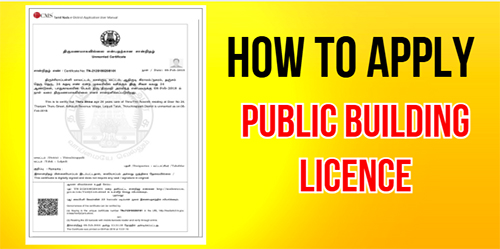
Service Code: REV-404 | Department: Revenue Department | Service Charge: ₹60 Purpose:The Public Building Licence is an official authorization under the Tamil Nadu Public Buildings (Licensing) Act, 1965 that allows a building to be used for public purposes. It ensures safety, compliance, and accountability for public-use structures such as:– Hospitals and healthcare facilities– Educational institutions– Commercial buildings open to the public– Auditoriums, halls, and other public spaces– Any building accessible for public use Required Documents:Mandatory:– Copy of Building Licence– Building Stability Certificate– NOC from Fire and Rescue Department– Sanitary Certificate from Local Body– Approved Building Plan (by competent authority)– Ownership Deed / Title Document– Self-Declaration of Applicant (downloadable from portal)– Challan Copy (proof of fee payment)– Address Proof– Other supporting documents as required Additional Documents (based on Applicant Type):– Lease Agreement (for Rental / Lessee)– Mortgage Document (for Mortgagee in possession)– Authority Letter / Legal Document (for Societies, Trusts, or Authorized Signatories) Special Requirements:– Applicant must have a valid Citizen Access Number (CAN)– Building Category: Specify whether Government or Private– Applicant Type: Declare if you are Owner, Lessee, Mortgagee, or Authorized Signatory– Must provide building location, total extent, and capacity– Fire NOC and Stability Certificate are mandatory– Payment: To be made via Bank Challan Step-by-Step Application Process: 1. Visit the Portal: Go to https://tnedistrict.tn.gov.in and login as e-Sevai Operator2. Navigate to Service: Services – Revenue Department – REV-404 Issuance of Public Building Licence3. CAN Verification:– If applicant already has CAN: Search by CAN number/name and proceed– If not: Click “Register CAN”, complete OTP verification, and obtain CAN number4. Fill Application Form:– Applicant Details, Address, and Contact Info: Auto-filled (non-editable)– Form Details: Choose Type of Application (New/Renewal) and Applicant Type– Building Details: Enter all specifications – location, capacity, purpose, and extent– Payment Details: Enter Bank Challan Number, Date, Bank, and Branch5. Upload Documents: Attach all required documents in acceptable format and size6. Make Payment: Confirm payment of applicable charges7. Acknowledgement: Download and print receipt for reference Alternative CSC Centre Method:You can also apply through a Common Service Centre (CSC) where trained staff w will help with:– CAN registration and verification– Collecting and verifying required certificates (Fire NOC, Stability, etc.)– Completing and uploading the application– Making payment via Bank Challan– Tracking application and downloading the approved licence After Submission:– Track Status: Check status using Application Number on the portal– Saved Applications: Drafts appear under “Saved Application” section– Verification: Application verified by Revenue officials– Approval: Once approved, download the digitally signed Public Building Licence– Licence Details: Includes licence number, validity, and approved building capacity– Delivery: CSC operator prints and delivers the licence copy if applied via CSC Important Notes:– Required Documents vary depending on Applicant Type– Fee Amount may differ for Government vs Private buildings– Validity: Licence valid for 1 year from date of issue– Photo Size: Max 50 KB | Documents: Max 200 KB– Accepted Formats: PDF, JPEG, JPG, PNG– Licence: Digitally signed, no physical signature required– Mandatory Compliance: Fire NOC and Building Stability Certificate must be submitted– Capacity Restriction: Licence mentions the maximum occupancy limit for safety compliance Apply Online: https://tnedistrict.tn.gov.inAssistance: Visit your nearest e-Sevai / CSC Centre for guidance This guide is based on the Tamil Nadu e-District User Manual (REV-404). Government of Tamil Nadu, 2019.
How to apply, News

How to Apply for Money Lenders Licence Online Easily!!

Service Code: REV-402 | Department: Revenue Department | Service Charge: ₹60 Purpose:The Money Lender’s Licence authorizes individuals to legally operate a money lending business under the Tamil Nadu Money Lenders Rules, 1959. It is required for:– Starting a new money lending business– Renewing an existing licence– Ensuring legal compliance for lending operations– Fulfilling regulatory and verification requirements– Conducting official banking or business transactions Required Documents:Mandatory:– Passport-size Photograph (max 50 KB)– Residence Proof of the applicant– Solvency Certificate of the applicant– Shop Address Proof– Property Document Proof (Patta/Chitta)– Bank Challan for fee payment– Form A (as per the Rules)– Lease Agreement (if applicable)– Self-Declaration of Applicant (download from portal)– Previous Licence (for Renewal applications only) Special Requirements:– Applicant must have a valid Citizen Access Number (CAN)– Nationality: Applicant must be an Indian national– Business Verification: Complete shop address details are mandatory– Property Verification: Supporting ownership proof required– Payment: Must be made via Bank Challan– Multiple Locations: Must declare if more than one shop or business location exists Step-by-Step Application Process: 1. Access Portal: Visit https://tnedistrict.tn.gov.in and login to the e-Sevai portal as Operator2. Navigate to Service: Go to Services – Revenue Department -`REV-402 Money Lender’s Licence3. CAN Verification:– If applicant has CAN: Search by CAN number/name and proceed– If no CAN: Click “Register CAN,” complete OTP verification, and obtain CAN number4. Select Application Type: Choose ‘New’ or ‘Renewal’5. Fill Application Form:– Applicant Details: Pre-filled and non-editable (ensure Nationality is entered)– Residential Address: Auto-filled, non-editable– Shop Address: Enter full business address– Contact Details: Auto-filled, non-editable– Payment Details: Enter Bank Challan number, date, bank, and branch– Property Details: Add complete property information6. Upload Documents: Attach all required documents in correct size and format7. Make Payment: Confirm ₹60 service charge online8. Download Acknowledgement: Save or print receipt for future tracking Alternative CSC Centre Method:Applicants can also apply through a Common Service Centre (CSC) where staff will help with:– CAN registration (if needed)– Guidance on document collection– Form filling and verification– Document scanning and uploading– Payment and submission assistance After Application:– Track your application using the Application Number via “Check Status”– Incomplplete forms can be found under Saved Applications– Verified by VAO / Revenue authorities before approval– Once approved, download the digitally signed licence– Licence includes number, validity, and business conditions– CSC operator can print and deliver the licence copy Important Notes:– Carefully select ‘New’ or ‘Renewal’ when applying– For renewals, previous licence number is required– Ensure documents are valid and clear before uploading– Photo size: Max 50 KB | Documents: Max 200 KB– Accepted formats: PDF, JPEG, JPG, PNG– Licence is digitally signed – no physical signature required– Validity: Licence valid for the specific financial period mentioned– Self-Declaration form must be downloaded and submitted Apply Online: https://tnedistrict.tn.gov.inHelp: Visit nearest e-Sevai / CSC Centre for assistance This guide is based on the Tamil Nadu e-District User Manual (REV-402). Government of Tamil Nadu, 2016.

How to apply, News

How to Apply for Licence under Pawn Broker Act Online Easily!!

Service Code: REV-401 | Department: Revenue Department | Service Charge: ₹60 Purpose:The Licence under Pawn Broker Act authorizes individuals to legally operate a pawnbroking business under the Tamil Nadu Pawn Brokers Act, 1943. It is required for:– Starting a new pawnbroking business– Renewing an existing licence– Legal compliance for business operations– Regulatory verification for banking and finance purposes– Business verification for government authorities Required Documents:Mandatory:– Passport-size Photograph (max 50 KB)– Residence Proof of the applicant– Solvency Certificate of applicant– Shop Address Proof– Property Document Proof (Patta/Chitta)– Bank Challan for fee payment– Form A (as per the Act)– Nominee Character Certificate– Nominee Residence Proof– Nominee Solvency Proof– Self-Declaration of Applicant (download from portal)– Lease Agreement (if applicable)– Previous Licence (for Renewal applications only) Special Requirements:– Applicant must have a valid Citizen Access Number (CAN)– Nationality: Must be an Indian national– Business Verification: Accurate shop address required– Property Verification: Complete property proof required– Nominee Details: Must provide character, residence, and solvency proofs– Payment: Fee must be paid via Bank Challan Application Process: 1. Get CAN: Visit https://tnedistrict.tn.gov.in and register using Aadhaar + OTP verification2. Apply Online: Login – Services – Revenue Department – REV-401 Licence under Pawn Broker Act3. CAN Verification:– If CAN exists: Search by CAN number/name and proceed– If no CAN: Register first and obtain CAN4. Select Application Type: Choose ‘New’ or ‘Renewal’5. Complete Application Form:– Applicant Details: Pre-filled personal info– Residential Address: Pre-filled and non-editable– Shop Address: Enter full business address– Contact Details: Pre-filled and non-editable– Payment Details: Enter Bank Challan number, date, bank, and branch– Property Details: Enter complete property records6. Upload Documents: Attach all required documents in correct format/size7. Make Payment: Confirm ₹60 service charge online8. Download Acknowledgement: Save/print receipt for tracking Alternative CSC Centre Method:– Visit nearest e-Sevai / CSC Centre– Staff assists with:– CAN registration– Document collection & verification– Form filling and document upload– Payment processing– Application tracking After Application:– Track status using Application Number under Check Status– Draft applications saved under Saved Application section– Application verified by VAO / Revenue authorities – Once approved, download digitally signed licence– Licence includes number, validity period, and business conditions– CSC operators can print and hand over the licence Important Notes:– Carefully select ‘New’ or ‘Renewal’– For renewals, previous licence number is required– Ensure all documents are clear and accurate– Photo: Max 50 KB | Documents: Max 200 KB– Accepted formats: PDF, JPEG, JPG, PNG– Licence is digitally signed; no physical signature needed– Validity: Licence valid for specific financial period Apply Online: https://tnedistrict.tn.gov.inAssistance: Visit nearest e-Sevai / CSC Centre This guide is based on the Tamil Nadu e-District User Manual (REV-401). Government of Tamil Nadu, 2016.

How to apply, News

How to Apply for Unmarried Certificate Online Easily!!

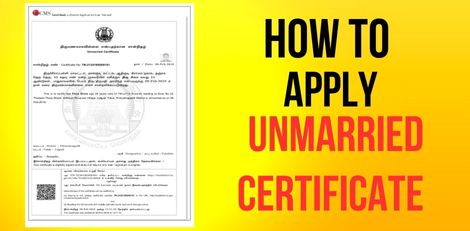
Service Code: REV-120 | Department: Revenue Department | Service Charge: ₹60 Purpose: The Unmarried Certificate officially confirms that an individual is not married as of a specific date. It is required for: – Marriage registration and matrimonial purposes – Visa and passport applications – Government job applications and background verification – Educational admissions and scholarship eligibility – Legal or court proceedings – Property inheritance and related transactions Required Documents: Mandatory: – Passport-size Photograph (Max 50 KB) – Ration Card or Address Proof – Age Proof (Aadhaar, Birth Certificate, or School Record) – Self-Declaration of Unmarried Status (download from portal) Optional Supporting Documents: – Any other supporting documents if required for verification Special Requirements: – Applicant must have a valid Citizen Access Number (CAN) – Valid Age Proof is mandatory – Residence Proof must match address in application – Self-Declaration confirming unmarried status is compulsory – Certificate validates unmarried status as of the application date Application Process: 1. Get CAN (Citizen Access Number) – Visit: https://tnedistrict.tn.gov.in – Register using Aadhaar + OTP verification to obtain CAN 2. Apply for Unmarried Certificate – Login to Tamil Nadu e-Sevai Portal – Navigate to: Services → Revenue Department → REV-120 Unmarried Certificate 3. Fill Application Form – Applicant Details: Auto-filled from CAN data – Address & Contact Details: Pre-filled and non-editable – Verify all information before proceeding 4. Upload Documents – Attach all required files (photo, age e proof, address proof, self-declaration) 5. Make Payment – Pay ₹60 through the portal’s payment gateway 6. Download Acknowledgement – Save or print the receipt for future tracking Alternative Method (CSC Centre): – Visit any e-Sevai / Common Service Center (CSC) – Trained staff will help with CAN registration, document upload & verification, payment processing, and certificate tracking & printing After Application: – Track your application under ‘Check Status’ using the Application Number – Application is reviewed by VAO / Revenue officials for verification – Once approved, download the digitally signed Unmarried Certificate – CSC operators can also print and hand over the certificate Important Notes: – Ensure all documents are clear, valid, and consistent – Self-Declaration Form is mandatory for processing – Certificate validates status only as of issue date – Applications can be saved as drafts and completed later – Photo size: Max 50 KB | Documents: Max 200 KB – Supported formats: PDF, JPEG, JPG, PNG – Certificate is digitally signed (no physical signature needed) – Address consistency is essential for smooth verification Apply Online: https://tnedistrict.tn.gov.in Helpdesk: Visit nearest eSevai / CSC Centre for assistance This guide is based on the Tamil Nadu e-District User Manual (REV-120). Government of Tamil Nadu, 2016.

How to apply, News

How to Apply for No Male Child Certificate Online Easily!!

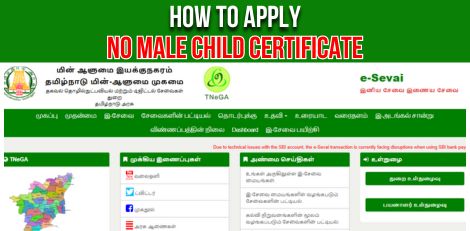
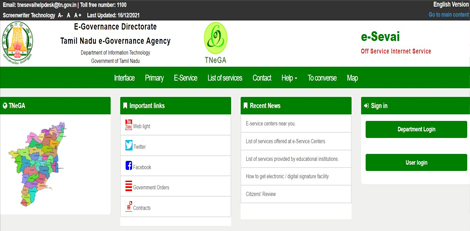
Service Code: REV-119 | Department Charges: ₹0 | Service Charge: ₹60 Purpose:The No Male Child Certificate certifies that a family has no male children. It is required for:– Availing government welfare schemes for families with only female children– Educational benefits and scholarships for girl children– Financial assistance programs for families with no male heirs– Special government initiatives supporting girl child education– Eligibility for gender-specific family welfare schemes Required Documents:– Combined Photo of Parents (Max 50 KB)– Residence Proof– Sterilization Certificate of Parents– Birth Certificate of First Child– Birth Certificate of Second Child– Self-Declaration Form (download from portal)– Other supporting documents if required Special Requirements:– Applicant must have a valid Citizen Access Number (CAN)– Age of last child should not exceed 3 years– Minimum 9 months birth gap between children (except twins)– Sterilization Certificate Timing:– If father sterilized – must be within 9 months before last child’s birth– In other cases – sterilization must be after last child’s birth date– Certificate validates family has no male children Application Process: 1. Get CAN (Citizen Access Number)– Visit: https://tnedistrict.tn.gov.in– Register using Aadhaar & OTP to get permanent CAN 2. Apply for No Male Child Certificate– Log in with your CAN– Go to: Services → Revenue Department → REV-119 No Male Child Certificate 3. Fill Application Form– Enter/Edit parent details– Add child details (DOB, gender, etc.)– Ensure last child’s age ≤ 3 years– Verify birth date gaps (≥ 9 months) except twins– Provide sterilization details with correct timing 4. Upload Documents– Attach all required certificates clearly 5. Pay Online– Pay the service charge of ₹60 6. Download Acknowledgement– Save/print receipt for tracking Alternative Method (CSC Centre – Recommended):– Visit nearest eSevai / CSC Centre– Operators assist with CAN registration, child details, scanning, and payment– Pay the same ₹60 service charge After Application:– Track status using your Application Number under ‘Check Status’– Application verified by VAO/Revenue authorities– Once approved, download your digitally signed No Male Child Certificate– CSC operator can also print and deliver certificate Important Notes:– Strict age and sterilization timiming requirements apply– All birth/sterilization certificates must be valid and accurate– Application undergoes family composition verification– Drafts can be saved and resumed later– File size: Photo max 50 KB, Docs max 200 KB– Supported formats: PDF, JPEG, JPG– Certificate is digitally signed (no manual signature needed) Apply Online: https://tnedistrict.tn.gov.inFor Assistance: Visit nearest eSevai / CSC Centre This guide is based on the Tamil Nadu e-District User Manual (REV-119). Government of Tamil Nadu, 2016.

How to apply, News

How to Apply for Solvency Certificate Online Easily!!

Service Code: REV-118 | Department Charges: ₹0 | Service Charge: ₹60 Purpose:The Solvency Certificate certifies an individual’s financial stability and ability to meet obligations. It is required for:– Participating in government tenders and contracts– Obtaining business licenses and permits– Legal and court proceedings– Visa and immigration applications– Large financial transactions and loan applications– Bid participation and business registration Required Documents:– Recent passport-size photo (Max 50 KB)– Solvency proof of applicant– Encumbrance Certificate– Latest Guideline Value Statement– Liability Amount Certificate– Mortgage Certificate– Property Tax receipts– Chitta or Patta (land ownership records)– Self-Declaration Form (download from portal)– Additional (if applicable):– Building Value Assessment– Lease Agreement– Other supporting financial documents Special Requirements:– Applicant must have a valid Citizen Access Number (CAN)– Provide detailed property and asset information– Solvency Amount must meet or exceed required amount– Property Valuation must reflect current market value– Government employees must provide monthly salary details Application Process: 1. Get CAN (Citizen Access Number)– Visit: https://tnedistrict.tn.gov.in– Register using Aadhaar & OTP to get permanent CAN 2. Apply for Solvency Certificate– Log in with your CAN– Go to: Services – Revenue Department – REV-118 Solvency Certificate 3. Fill Application Form– Personal and parent/spouse details auto-filled from CAN– Enter solvency required amount and purpose– If government employee, add monthly salary– Provide property details (District, Taluk, Village, Survey No., Land/Building, Extent, Market Value, Share %)– Click Add for each property– Ensure Total Solvency Amount ≥ required solvency 4. Upload Documents– Attach all property and financial proofs in correct format 5. Payment Process– Step 1: Submit application– Step 2: After verification, pay via Bank Challan– Upload scanned challan copy + enter challan details– Click Proceed to Pay to confirm 6. Download Acknowledgement– Save/print receipt for tracking Alternative Method (CSC Centre – Recommended):– Visit nearest eSevai / CSC Centre– Operators assist with CAN registration, property details, scanning, challan payment– Pay the same ₹60 service charge After Application:– Track status using Application Number under ‘ChCheck Status’– Application verified by VAO, RI, and Tahsildar– Pay Challan after verification stage– Once approved, download digitally signed Solvency Certificate– CSC operator prints and delivers certificate Important Notes:– Ensure all financial/property details are accurate and verifiable– Upload complete financial proofs for approval– Two-stage payment: Online submission + Bank Challan after verification– Solvency calculated from property values and share percentage– Drafts can be saved and resumed later– File size: Photo max 50 KB, Docs max 200 KB– Formats supported: PDF, JPEG, JPG, PNG– Certificate is digitally signed and requires no manual signature– Verification chain includes VAO → RI → Tahsildar Apply Online: https://tnedistrict.tn.gov.inFor Assistance: Visit nearest eSevai / CSC Centre This guide is based on the Tamil Nadu e-District User Manual (REV-118). Government of Tamil Nadu, 2016.

How to apply, News

How to Apply for Residence Certificate Online Easily!!

Service Code: REV-116 | Department Charges: ₹0 | Service Charge: ₹60 Purpose:The Residence Certificate is an official document that certifies a person’s ordinary residence in Tamil Nadu. It is required for:– School/college admissions– Government job applications– Scholarship applications and education benefits– Proof of local residence for legal or official purposes– Accessing government schemes based on residence Required Documents:– Recent passport-size photo (Max 50 KB)– Current Address Proof (any one):– Passport / Driving Licence / PAN Card– Voter ID / NPR Document– Smart Card (Central/State Govt. issued)– Health Insurance Card with photo– Official Identity Card– Self-Declaration Form (download from portal) Special Requirements:– Applicant must have a valid Citizen Access Number (CAN)– Must provide address details for the past 1–5 years (most recent first)– Certificate validates ordinary residence in the specified area– All addresses must be verifiable with documents Application Process: 1. Get CAN (Citizen Access Number)– Visit: https://tnedistrict.tn.gov.in– Register using Aadhaar & OTP to get your permanent CAN 2. Apply for Residence Certificate– Log in with your CAN– Go to: Services – Revenue Department – REV-116 Residence Certificate 3. Fill Application Form– Personal details auto-filled from CAN– Enter address history (Revenue Village, Street, House No., Pincode, Dates)– System calculates total years of residence 4. Upload Documents– Attach Photo, Address Proof, Self-Declaration in correct size/format 5. Pay Online– Pay the service charge of ₹60 6. Download Acknowledgement– Save or print receipt for future tracking Alternative Method (CSC Centre – Recommended):– Visit nearest eSevai / CSC Centre– Operators assist with CAN registration, address entry, document scanning, and payment– Pay the same ₹60 service charge After Application:– Track status using Application Number under ‘Check Status’– Application verified by VAO/Revenue authorities– Download your digitally signed Residence Certificate after approval– Certificate contains QR code & digital signature for online verification Important Notes:– Enter address history in proper chronological order– Uploaded documents must be clear, current, and valid– Photo limit: 50 KB | Document limit: 200 KB– <sFormats accepted: PDF, JPEG, JPG– Applications can be saved as draft and completed later– Certificate is digitally signed and does not require a physical signature</s Apply Online: https://tnedistrict.tn.gov.inFor Assistance: Visit nearest eSevai / CSC Centre This guide is based on the Tamil Nadu e-District User Manual (REV-116). Government of Tamil Nadu, 2016.

How to apply, News

How to Apply for Legal Heir Certificate Online Easily!!

Service Code: REV-114 | Department Charges: ₹0 | Service Charge: ₹60 Purpose: The Legal Heir Certificate is an official document that establishes the relationship between the deceased and their legal heirs (spouse, children, parents, etc.). It is required for: – Claiming inheritance and transferring property, bank accounts, and assets – Settling insurance claims and pension benefits – Government service benefits transfer – Other legal and financial purposes after death Required Documents: – Death Certificate of the deceased– Address Proof of the deceased (last place of residence)– Self-Declaration of the spouse/applicant listing all legal heirs Relationship Verification Documents (as applicable):– Marriage Proof (Marriage Certificate, Passport, Voter ID, Aadhaar)– Children’s Proof (Birth Certificates or School Transfer Certificates)– ID Proofs of all heirs (Birth Certificate, Community Certificate, Aadhaar, Passport, TC, NPR, Employee Record) Special Circumstances:– If multiple marriages: Death Certificate of first spouse / divorce decree / second marriage proof– If parents are heirs: Parents’ Death Certificates or self-declaration– For adopted heirs: Legal adoption proof / Guardianship order Special Requirement:– Applicant must have a valid Citizen Access Number (CAN)– If no CAN, register first on the e-District portal using Aadhaar and OTP verification Application Process: 1. Get CAN– Visit: https://tnedistrict.tn.gov.in– Register using Aadhaar and obtain a permanent CAN 2. Apply for Certificate– Log in to e-District portal– Navigate: Services – Revenue Department – REV-114 Legal Heir Certificate 3. Fill Application Form– Enter Deceased Details (Name, Date/Place of Death, Death Certificate No., Parents’ details)– Enter Address of Deceased– Add Legal Heirs Details (Name, Age, Relationship, Marital/Living Status)– Enter Petitioner’s Relationship to the deceased 4. Upload Documents– Attach all required documents clearly in the correct format 5. Pay Online– Service Charge: ₹60 6. Download Acknowledgement– Save/print receipt for tracking Alternative Method (CSC Centre – Recommended):– Visit nearest eSevai/CSC Centre– Operators help with CAN registration, document scanning, payment, and submission– Pay the same � ₹60 service charge After Application:– Track Status: Check with application number on portal– Application verified by VAO / Revenue authorities– Once approved, download digitally signed certificate with QR code Important Notes:– Keep application number safe for tracking– Ensure all uploaded documents are clear and valid– Certificate can be verified online via QR code/unique number– Draft applications can be saved and continued later Apply Online: https://tnedistrict.tn.gov.inFor Assistance: Visit nearest eSevai/CSC Centre

How to apply, News

How to Apply for Inter Caste Marriage Certificate Online Easily!!

Service Code: REV-113 | Department Charges: ₹0 | Service Charge: ₹60 Purpose: This certificate is issued to couples who have entered into an inter-caste marriage, enabling them to avail government benefits and schemes meant for such marriages. Required Documents: – Combined Photo of Husband and Wife (Max 50 KB)– Permanent Community Certificate of the Groom– Permanent Community Certificate of the Bride– Marriage Registration Certificate– Self-Declaration Form (Download from portal)– Ration Card or Address Proof Special Requirement: – Both Applicants (Groom and Bride) must have individual CAN numbers Application Process: 1. Get Citizen Access Number (CAN) – Mandatory for Both– Visit: https://tnedistrict.tn.gov.in– Groom and Bride must register separately for free CAN– CAN serves as a permanent digital ID for all certificates 2. Apply for Certificate– Log in to the e-District portal– Navigate to: Services – Revenue Department– Select: REV-113 Inter Caste Marriage Certificate 3. Fill Application Form– Enter Groom’s CAN number and fetch details– Enter Bride’s CAN number and fetch details– Provide: Groom’s caste details (Community, Caste, Certificate issuing details)– Provide: Bride’s caste details (Community, Caste)– Enter: Marriage details (Date, Place etc.)– Enter: Current address details– Accept the self-declaration– Upload all required documents– Pay ₹60 service charge online Alternative Method – Recommended:Visit nearest eSevai / CSC Centre– Operators provide complete assistance for both applicants– Help with document scanning and upload– Same ₹60 service charge applies After Application:– Track Status: Use application number under `Check Status`– Application verified by relevant authorities– Download digitally signed certificate after approval– Certificate contains a QR code for online verification Important Notes:– Both husband and wife need separate CAN registration– Permanent Community Certificates for both partners are mandatory– Marriage Registration Certificate is essential– A combined photo of the couple is required– Keep the application number safe for tracking– Certificate can be verified online via QR code / unique number– Essential for availing government schemes for inter-caste marriages Apply Online: https://tnedistrict.tn.gov.inFor Assistatance: Visit nearest eSevai / CSC Centre

How to apply, News

How to Apply Certificate for Loss of Educational Records due to Disasters Online Easily!!

Service Code: REV-111 | Department Charges: ₹0 | Service Charge: ₹60 Purpose: This certificate is issued to citizens who have lost their educational records due to natural disasters or other calamities, enabling them to obtain duplicate documents from educational institutions. Required Documents: Recent passport size photograph (Max 50 KB) Residence Proof (Aadhaar / Ration Card / Utility Bill etc.) Self-Declaration Form (Download from portal) Damage Certificate Xerox Copy (Proof of disaster/calamity) Other supporting documents Application Process: 1. Get Citizen Access Number (CAN) – Mandatory First Step Visit: https://tnedistrict.tn.gov.in Register for free CAN using Aadhaar and basic details CAN serves as your permanent digital ID for all certificates 2. Apply for Certificate Log in to the e-District portal with your CAN Navigate to: Services → Revenue Department Select: REV-111 Certificate for Loss of Educational Records due to Disasters 3. Fill Application Form Personal details auto-filled from CAN Specify: Highest Educational Qualification Provide: Details of lost certificates (Certificate Name, Standard/Degree, Certificate No., Year of Issuance, Issuing Authority, Institution Name) Specify: Year of damage and Nature of damage (e.g., Flooding, Fire etc.) Accept the self-declaration Upload all required documents Pay ₹60 service charge online Alternative Method – Recommended: Visit nearest eSevai / CSC Centre Operators provide complete assistance Help with document scanning and upload Same ₹60 service charge applies After Application: Track Status: Use application number under `Check Status` Application verified by relevant authorities Download digitally signed certificate after approval Certificate contains a QR code for online verification Important Notes: Essential for obtaining duplicate educational certificates Keep details of original certificates ready (Certificate numbers, issuing authorities) Damage certificate / proof of disaster is mandatory Self-declaration form must be downloaded from the portal Keep application number safe for tracking Certificate can be verified online via QR code / unique number Apply Online: https://tnedistrict.tn.gov.in For Assistance: Visit nearest eSevai / CSC Centre

Scroll to Top