jbadmin

How to apply, News

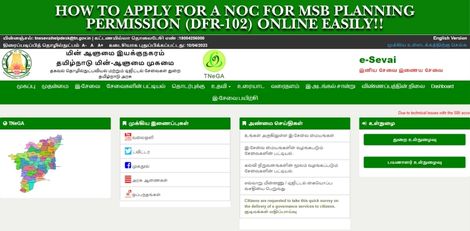
How to Apply for a NOC for MSB Planning Permission (DFR-102) Online Easily!!

Service Code: DFR-102 | Department: Directorate of Fire & Rescue Purpose:The No Objection Certificate (NOC) for MSB Planning Permission service enables building developers and property owners to obtain fire safety clearance for Multi-Storied Building (MSB) planning proposals through the e-District portal. This service is designed for: – Builders and developers planning multi-storied constructions– Property owners seeking planning permission for MSB projects– Architects and consultants submitting building plans for approval– Construction companies requiring fire safety clearance Required Information: Mandatory Details:– Building and address details (complete construction site information)– Comprehensive fire safety specifications as per National Building Code Special Requirements:– MSB Classification: For Multi-Storied Buildings requiring fire safety clearance– Technical Specifications: Detailed building construction and fire safety system details required– Document Options: Can attach soft copies or deliver physical documents manually– Comprehensive Data: Extensive building and fire protection system information needed Step-by-Step Application Process: 1. Access the Portal: Login to the e-Sevai Tamil Nadu portal as Operator 2. Navigate to Service:– Click Services on the left panel– Select Directorate of Fire & Rescue from department list– Click DFR-102 NOC for MSB Planning Permission 3. Complete Detailed Registration Form:– Fields marked with red asterisk (*) are mandatory– Fields marked with green asterisk are optional mandatory 4. Enter Building and Construction Details:– Building and address details: Complete construction site information– Contact details: Applicant/owner contact information– Number of floors with floor area: Detailed floor specifications– Staircase details: Internal and external staircase specifications 5. Provide Building System Specifications:– Lift details: Number of lifts, capacity, service staircase availability– Canteen details: If applicable– Fire resistance of construction materials: Material fire ratings– Fire protection systems: Complete fire e safety equipment details– Fire pumps details: Specifications and capacities– Communication systems: Emergency communication infrastructure 6. Enter Additional Technical Details:– Generator details: Backup power specifications– Site extent and setbacks: Building perimeter and clearance details– Fire lift details: Specialized fire service elevator specifications– Inspection compliance details: As per NBC 2005 Table 23 requirements 7. Submit Application: Click Submit 8. Choose Document Delivery Method:– Option 1: Attach soft copies of required documents electronically– Option 2: Deliver physical documents manually at the center 9. Upload Documents (if choosing electronic option):– System shows list of required documents– Attach documents in prescribed file size and type– Upload button appears after browsing and selecting document– Uploaded documents displayed at bottom of screen 10. Make Payment:– Click Make Payment after document upload– Total Fees for service displayed on payment page– Click Confirm Payment 11. Download Acknowledgement: Click Print Receipt to print/download acknowledgement Document Requirements:– Building plans and drawings with fire safety systems– Construction material specifications and fire ratings– Fire protection system details and specifications– Site plans with setback and clearance measurements– NBC 2005 compliance documentation Payment Details:– Service Fees: As displayed on payment page (variable based on project)– Payment Confirmation: Required before processing After Submission:– Draft Applications: Saved applications visible under Saved Application section– Submitted Applications: Viewable under Submitted Application section– Status Tracking: Check current status from Check Status section– Receipt Reprint: Acknowledgement receipts can be re-printed from Reprint Receipt section– Processing: Application goes to Director/Deputy Director/Joint Director for approval Downloading NOC Certificate:1. Check Status: Go to Check Status section2. Enter Application Number: TN-XXXXXXXXXXXX3. Click Search: View application details4. Download Certificate: Click Download certificate link when application is approved and digitally signed Important Fire Safety Conditions (from NOC): – Wet-riser system required per thousand sq m area with automatic/manual operation– Underground water tank (min 75,000L) and terrace tank (min 10,000L) for each tower– Electrical and diesel fire pumps with specific capacity requirements– Yard hydrants around building perimeter– Fire service inlets with NRV at ground level– Hose reel assembly covering each floor area– Manual fire alarm call points on all floors– Automatic sprinkler system on all floors– Public Address System connecting all floors– Alternative power systems for fire pumps, emergency lighting, and fire lift– Compliance with National Building Code of India 2005 for ramps, exits, staircases– Fire escape requirements including internal/external staircases and fire towers– Fire lifts with minimum 8-passenger capacity and emergency communication– Setback area free from obstructions for aerial ladder platform vehicle access– First aid firefighting equipment on all floors per IS 2910:2010– Basement requirements including ventilation, access, and fire separation– Illuminated exit signage with battery backup– Service duct protection with fire sealing/dampers– Fire resistant cables and designated assembly points– Evacuation route plans displayed on each floor– Trained fire officer and crew for system maintenance– Refuge areas as per NBC 2005 requirements– Temporary fire protection during construction phase Critical Compliance Notes:– No obstructions in setback area for emergency vehicle access– Ramp design must not exceed building line or obstruct side areas– Building completion requires Fire Licence for final occupancy– All specifications must meet National Building Code of India 2005 requirements– Fire safety systems must be maintained in good working condition Apply Online: https://tnesevai.tn.gov.inAssistance: Visit your nearest e-Sevai / CSC Centre *This guide is based on the Tamil Nadu e-District User Manual (DFR-102). Government of Tamil Nadu.*


Auspicious day, News

Auspicious (Nalla Neram) time today (Feb 12th)

February 11, 2026 – Wednesday | Thai 28 | Visuvavasu Year Auspicious Timings Morning 09:00 AM – 10:30 AM Evening 4:30 PM – 5:30 PM Inauspicious Timings Emakandam 07:30 AM – 09:00 AM Gulikai 10:30 AM – 12:00 PM Rahu 12:00 PM – 01:30 PM Astrological Details Thithi Thasamy Nakshatram Avittam maalai Chandrashtamam Aswini Sulam North Remedy Milk

Auspicious day, News

Auspicious (Nalla Neram) time today (Feb 11th)

February 11, 2026 – Wednesday | Thai 28 | Visuvavasu Year Auspicious Timings Morning 09:00 AM – 10:30 AM Evening 4:30 PM – 5:30 PM Inauspicious Timings Emakandam 07:30 AM – 09:00 AM Gulikai 10:30 AM – 12:00 PM Rahu 12:00 PM – 01:30 PM Astrological Details Thithi Thasamy Nakshatram Avittam maalai Chandrashtamam Aswini Sulam North Remedy Milk

Auspicious day, News

Auspicious (Nalla Neram) time today (Feb 10th)

February 10, 2026 – Tuesday | Thai 27 | Visuvavasu Year Auspicious Timings Morning 07:31 AM – 09:00 AM Evening 4:30 PM – 5:30 PM Inauspicious Timings Emakandam 09:00 AM – 10:30 AM Gulikai 12:00 PM – 01:30 PM Rahu 03:00 PM – 04:30 PM Astrological Details Thithi Navami Nakshatram Vishagam Chandrashtamam Ashwini Sulam North Remedy Milk

Bussiness tips, News

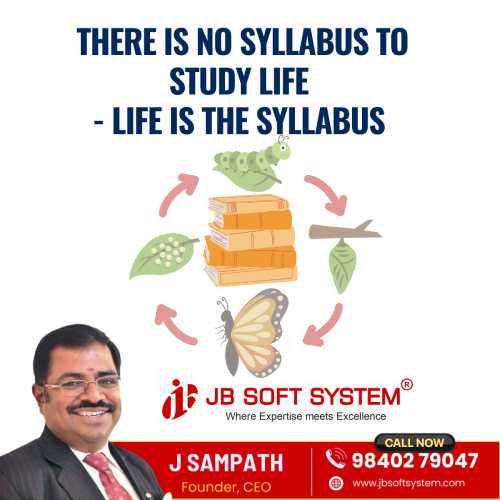
There Is No Syllabus to Study Life – Life Is the Syllabus : A Morning Thought by J. Sampath, Founder & CEO, JB Soft System

There is no textbook for life.No prescribed syllabus.No fixed curriculum. Life itself is the syllabus.  We often behave like students waiting for instructions – asking what to study, what to plan, what to control. But life doesn’t work that way. It teaches through experience, not explanation. Allow experiences to come to you fully.Don’t rush through them.Don’t resist them. Be fully aware.Be present.Experience the whole moment – pleasant or uncomfortable. When you do this, something beautiful happens. You begin to flow with the flow. And in that flow, existence works silently.Life moves intelligently.Events align.People appear.Lessons unfold. Not always according to our plans –but often according to better ones. When we stop fighting life and start listening to it, we realize that life is constantly guiding us—through success, failure, joy, pain, waiting, and change. There is nothing extra to learn outside of living itself. Live deeply.Observe honestly.Trust the flow. Because life already knows the lesson you need next. – Morning Thoughts By J Sampath, Founder & CEO of JB Soft System

Auspicious day, News

Auspicious (Nalla Neram) time today (Feb 9)

February 9, 2026 – Monday | Thai 26 | Visuvavasu Year Auspicious Timings Morning 06:00 AM – 07:30 AM Evening 4:30 PM – 5:30 PM Inauspicious Timings Emakandam 10:30 AM – 12:00 PM Gulikai 01:30 PM – 03:00 PM Rahu 07:30 AM – 09:00 AM Astrological Details Thithi Ashtami Nakshatram Suvathi Chandrashtamam Revathi Sulam East Remedy Curd

Auspicious day, News

Auspicious (Nalla Neram) time today (Feb 8th)

February 8, 2026 – Sunday | Thai 25 | Visuvavasu Year Auspicious Timings Morning 07:31 AM – 09.00 AM Evening 3:30 PM – 4:30 PM Inauspicious Timings Emakandam 12:00 PM – 01:30 PM Gulikai 03:00 PM – 04:30 PM Rahu 04:30 PM – 06:00 PM Astrological Details Thithi Saptami Nakshatram Sithirai Chandrashtamam Uthiraadam Sulam West Remedy Jaggery

Auspicious day, News

Auspicious (Nalla Neram) time today (Feb 7th)

Febraury 7, 2026 – Saturday | Thai 24| Visuvavasu Year Auspicious Timings Morning 07:30 AM – 08:30 AM Evening 4:30 PM – 5:30 PM Inauspicious Timings Emakandam 01:30 PM – 03:00 AM Gulikai 06:00 AM – 07:30 AM Rahu 09:00 AM – 10:30 AM Astrological Details Thithi Sashti Nakshatram ashtham Chandrashtamam Pooraadaathi Sulam East Remedy Curd

News, Power Shutdown

Power Shutdown in Coimbatore – Saturday (07-02-2026)

Power supply will be suspended in the following areas on Saturday (07-02-2026) from 09.00 AM to 04.00 PM due to substation maintenance works. Peedampally (PEEDAMPALLY 110 KV Substation): Kalangal, Peedampalli, Pattanam, Pappampatty, Akkanaickenpalayam, Pattanampudur, Pappampattypirivu, Kannampalayam, Nadupalayam (one region), Chinna Kuili, Naikenpalayam, Pallapalayam. Ukkadam (UKKADAM 110 KV Substation): Variety Hall Road, Townhall, Oppanakara Street area, T.K. Market area, Selvapuram, Kempatty Colony area, Karumbukkadai, Athupalayam area, Ukkadam area, Sungam, Collectorate, Government Hospital area, Railway Station area. Madukkarai (MADUKKARAI 110 KV Substation): Arivoli Nagar, Serapalayam, Madukkarai, Palathurai, A.G. Pathy. Power supply will be restored before 04.00 PM if the maintenance works are completed early. The shutdown schedule is subject to change based on operational or weather-related factors. 

How to apply, News

How to Apply for Retention of an Allopathic Drug Sales Licence Online Easily!!

Service Code: DCA-601 | Department: Drugs Department Purpose: The Retention for Allopathic Drugs Licence Sales service allows existing licence holders to apply for the retention of their allopathic drug sales licence through the e-District portal. This service is designed for: – Current allopathic drug sales licence holders needing to retain their licence – Businesses with active drug sales licences requiring continuation of authorization – Authorized representatives managing licence retention for drug businesses Required Information: Mandatory Input: – Existing Licence Number Special Requirements: – Active Licence: Must have a current, valid drug sales licence – Automatic Data Retrieval: System populates all details automatically upon entering licence number – Simplified Process: Minimal data entry required as most information is pre-filled – Wallet Payment: Service charges deducted from operator`s wallet Step-by-Step Retention Process: 1. Access the Portal: Go to Tamil Nadu e-District website 2. Operator Login: – Enter correct login credentials (username and password) – Click Login 3. Navigate to Service: – Click on Services from the menu – Select Drugs Department – Click on DCA-601 Retention for Allopathic Drugs Licence Sales 4. Enter Licence Details: – Enter your existing Licence Number – Click Get Details 5. Verify Auto-Populated Information: System automatically displays: – All licence details associated with the entered number – Business information – Owner/Applicant details – Licence validity and specifications 6. Review and Submit: – Check all fetched details for accuracy – Click Submit application 7. Make Payment: – System redirects to payment page – Service charges will be shown – Charges are deducted from operator`s wallet – Confirm payment after checking details 8. Download Acknowledgement: – Upon successful payment, download Acknowledgement Receipt in PDF format – Receipt contains application reference details Document Requirements: Primary Requirement: – Valid existing licence number (for system data retrieval) Note: The process is largely automated with minimal document uploads required at initial submission stage. Additional documentation may be requested during processing if needed. Payment Details: – Payment Method: Operator wallet deduction – Service Charges: Applicable fees as shown on payment page – Government Fees: As applicable for retention service After Submission: – Acknowledgement Receipt: Immediate generation upon successful payment – Application Tracking: Status can be checked through standard e-District tracking – Processing: Application reviewed by Drugs Department authorities – Notification: Updates sent through system notifications Important Notes: – Data Automation: All details auto-populate when entering valid licence number – Pre-requisite: Must have active, valid drug sales licence – Timely Application: Apply for retention before licence expiry – Accuracy Check: Verify all auto-populated details before submission – Wallet Requirement: Ensure sufficient balance in operator wallet for service charges – Minimal Input: No extensive form filling required due to data automation – System Integration: Seamless integration with existing licence database – Retention Purpose: For continuing existing licence authorization – Validity Extension: Process facilitates continuation of licence validity Support Information: – Help Desk Email: eservai_helpdesk@cms.co.in – Toll Free Number: 18004251333 – TNeGA Address: No. 59, TNHB Building, Kavigar Bharathidasan Road Apply Online: https://tnesevai.tn.gov.in Assistance: Visit your nearest e-Sevai / CSC Centre This guide is based on the Tamil Nadu e-District User Manual (DCA-601). Government of Tamil Nadu, 2019   

Scroll to Top